Using A/B Testing to Create Effective Flows with Leadster’s Chatbot
Do you already use A/B testing to create more efficient flows with your chatbot?
This is one of the main ways to optimize the performance of a tool that has already proven to be one of the most effective for lead generation.
But there’s a way to go further — and precisely understand which words and calls to action convert the most: A/B testing with chatbots.
Check out how to apply this methodology and boost your conversion rate even more!
Why Is Having a Chatbot Important?
A chatbot is a kind of robot that simulates a conversation with users who visit your website.
By using a conversational marketing strategy, users are more likely to fill out a form or sign up on your site.
With personalized automated questions, you can achieve even higher conversion rates.
That’s why using a chatbot is essential for increasing lead generation, offering users a smooth registration experience, and converting more qualified leads.
What Makes a Chatbot an Effective Tool?
In addition to catching the user’s attention and simplifying the sign-up process, chatbots are effective for several other reasons.
One of the most important is the ability to personalize flows.
In other words, the questions can vary depending on the user’s origin channel, how long they’ve been on the page, or even the answers they give at the beginning of the conversation.
To determine which approaches work best with your chatbot, there’s no other way: you have to test.
Even the smallest details can make a difference when it comes to converting qualified leads.
That’s where A/B testing comes in. Let’s understand how to apply this strategy to your chatbot?
What Is A/B Testing and Why Is It an Essential Marketing Strategy?
A/B testing is a methodology that uses multiple variants of a product element or communication component to determine which version performs better.
In simpler terms, A/B testing allows you to test different hypotheses and find out which one is more effective at reaching your goal.
Why Run A/B Tests on Your Chatbot?
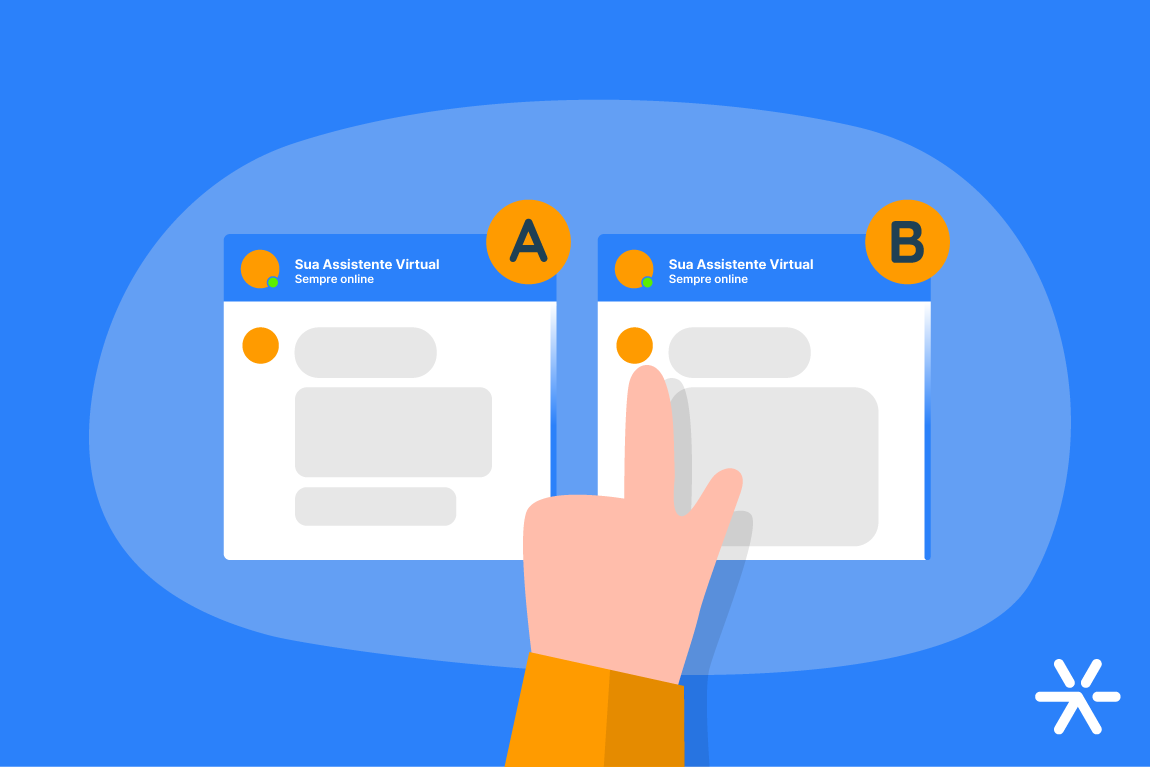
With A/B tests on your chatbot, you can create different variants of flows and questions on the same page.
That way, you test different hypotheses and determine which variant is most effective for each stage of the flow. You can also identify patterns and optimize other flows.
Through effective testing, you’ll identify flows that generate more qualified leads, improve the registration experience, and increase your conversion rate.
Tips for Optimizing Your Chatbot with A/B Testing
Now that you know how important it is to run A/B tests on your chatbot, here’s a step-by-step guide:
Choose the Best Platform
The first step to using A/B testing as a chatbot optimization strategy is choosing the right platform.
Leadster offers a marketing chatbot designed to boost your lead conversion.
In addition to customizable flows, easy implementation, and proven results, the Leadster platform includes a built-in A/B testing feature that can be easily configured in the dashboard.
Learn more about Leadster
Understand Your Customer Journey
Before starting A/B tests with your chatbot, it’s essential to have a clear view of your customer journey map.
The funnel stages you’ve mapped out are crucial for programming your chatbot and defining the best messages and approaches for your customer.
For example:
- A user visiting your site for the first time after clicking a Google Ads ad might see a softer message inviting them to learn more about your solution.
- On the other hand, a user arriving via an email sent to your already-engaged lead base is much closer to converting — in this case, a more direct message encouraging purchase can be more effective.
In the next sections, you’ll learn how to craft personalized messages and configure the Leadster chatbot for optimal performance.
Set Up Your Chatbot
Let’s start with how to create a free chatbot using Leadster.
When you start the platform demo, you’ll register through the chatbot itself.
Once your account is created, you’ll have free access for 14 days — during which you’ll already start seeing an increase in lead generation.
We’ll ask you a few key questions to help you get the most out of the tool, such as your business goals and industry.
After providing your information and choosing from the available options, you’ll be ready to create your first flow.
The platform guides you step by step through setup, letting you personalize your messages and create as many flows as you’d like to test the chatbot.
Tip: To learn more about creating a free chatbot with Leadster, check out this article on our blog
Analyze User Behavior and Chatbot Metrics
Within the Leadster dashboard, you can monitor user behavior across different pages where the chatbot is active.
The insights provided by the platform will help you pinpoint areas for improvement in your chatbot flows.
Identify Which Questions to Optimize First
Based on your analysis, decide which questions to optimize first.
The criteria will depend on the performance of each flow step. If the chat’s open rate is low, test different opening messages.
Alternatively, if a certain step in the flow has a high drop-off rate, it may be time to rethink the wording of a question, reposition it earlier or later in the flow, or even remove it altogether — depending on its relevance for qualifying and capturing the lead.
If you’re seeking the best-performing option, this is where A/B testing comes in:
Create Your First A/B Test
When setting up flows in Leadster, you’ll find a feature that allows you to create A/B tests automatically.
Just enable the feature at the step you want to optimize and insert two or more versions of the message. Here’s an example:
In addition to A/B testing smart messages and questions, the platform lets you use different variants for desktop and mobile.
You can also create A/B tests for question flows and even for the image shown in the chatbot on your website.
Monitor Your A/B Test Data and Optimize Your Chatbot
Now, through the dashboard, you can monitor the results of the A/B tests you’ve run.
The version with the best performance — such as lower drop-off rates or more complete answers — can be selected as the final version.
Just click “Use this version” and move on to other optimizations in your chatbot flow.
Conclusion
Running A/B tests in the Leadster platform is very simple, isn’t it?
In addition to A/B testing, the tool includes a variety of features designed to improve your lead qualification and conversion rates.
Don’t waste any more time — start using Leadster’s chatbot for free today.